Filecache Houdini/Deadline
- Deadline, Houdini, Prism, Python
This is a tool I developped during my last year at MoPA for my thesis film.
It came about because we were using Prism but couldn’t use the Deadline plugin for Prism, and I wanted to be able to efficiently send caches to Deadline. So I created my own Deadline compatible filecache tool, that can both export and read caches.
Here is how it works (using Python script and Prism environment variables) :
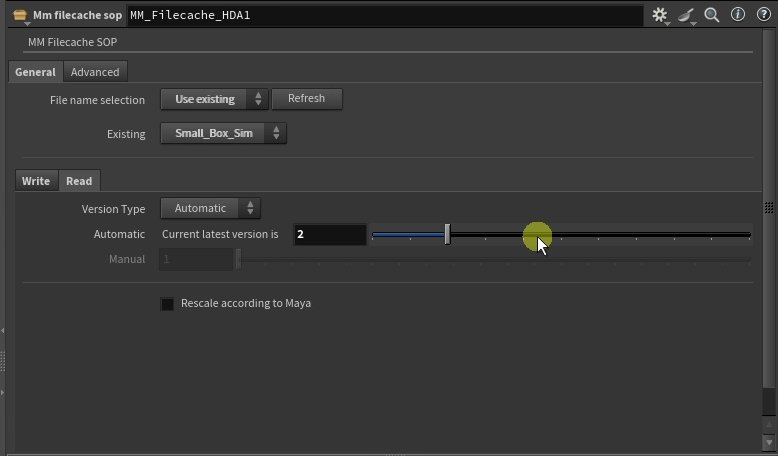
– The tool detects already existing exports and versions based on a given Path.
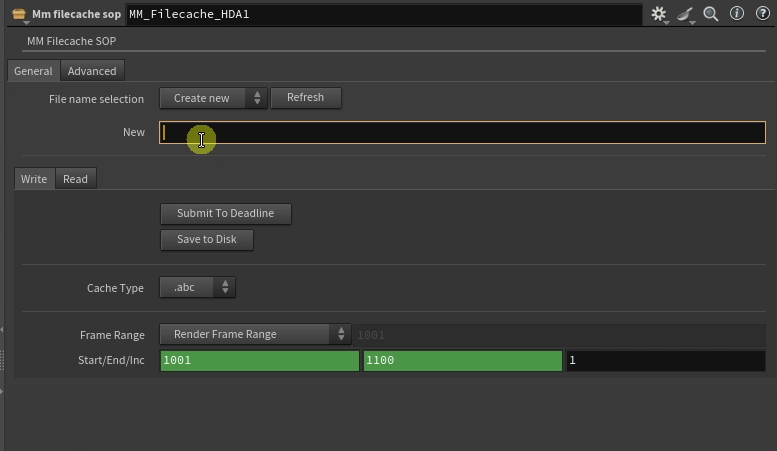
– The artist can choose to export a new cache by giving it a name, or choose from the already existing caches detected.
– The artist can choose for the version of the cache to be setup automatically (next version) or manually, for both writing and reading the cache.
– The artist can choose between an Alembic (.abc) or Bgeo (.bgeo.sc) file.
– The artist can choose to resize the file being read to match Houdini scale when coming from Maya.
– The timeline of the export can be set to the current frame range, a custom frame range, or a single frame.
– The cache can either be sent to Deadline or directly be Saved to Disk.
– The output filepath of the cache is automatically set based on cache name, path, version and if wanted Prism environment variables (sequence/shot).
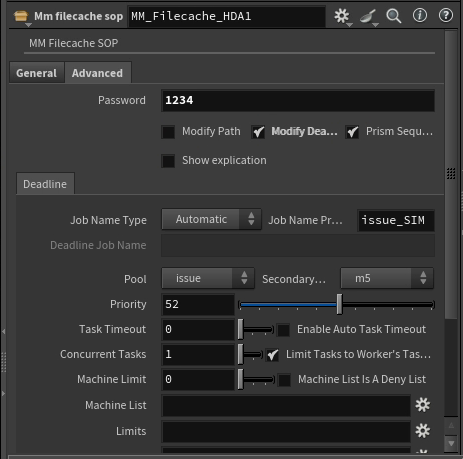
– Extra properties such as the used Path, extra Deadline properties (such as manual or autmatic job name, priority and much more) and usage of Prism environment varibales can be modified, but are password protected so they aren’t accidentally changed by the artist.
– The tool exists both in the sop and obj context.
You will soon find down below a detailed explanation of the tool in a short video !
Also a Github is coming soon !